

 Italiano
 Français
 Deutsch
 Español
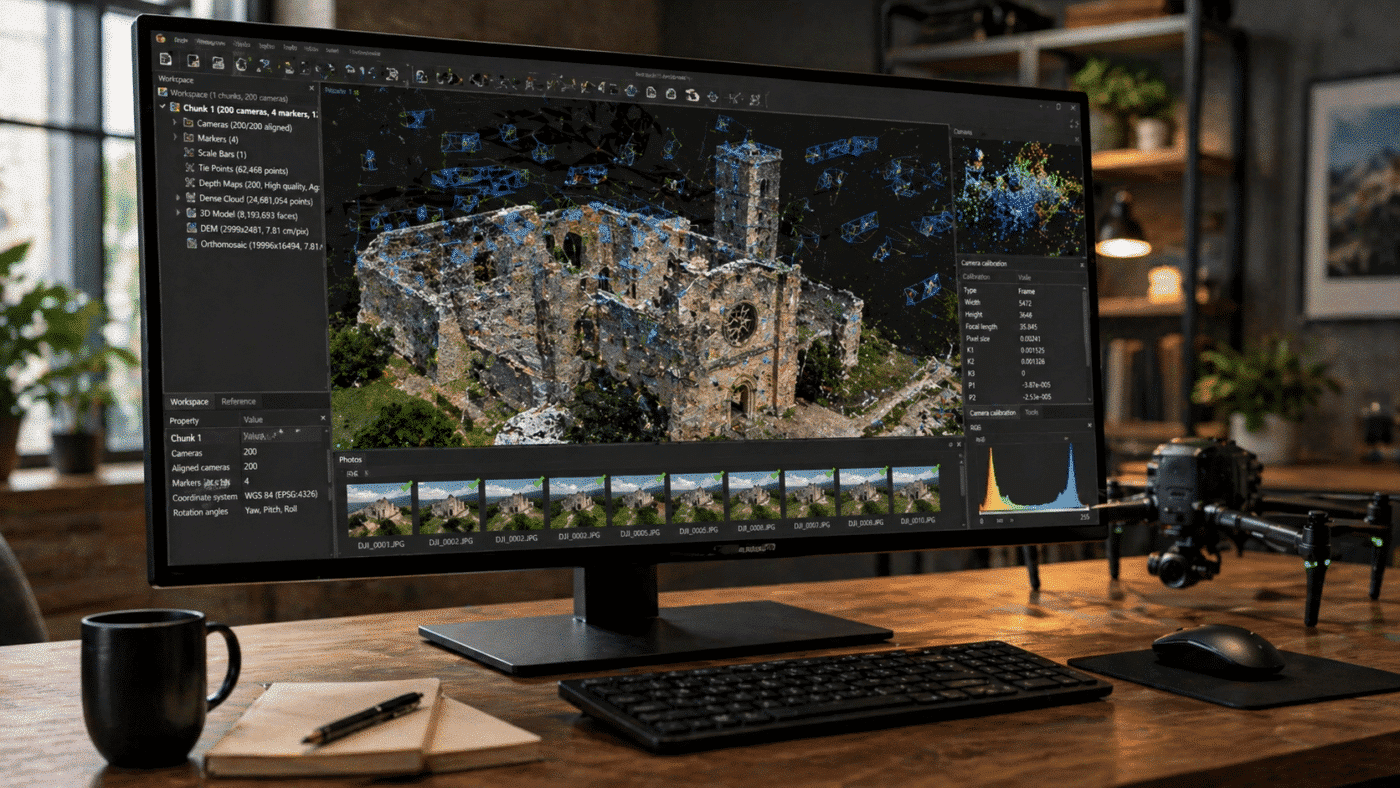
The release of Agisoft Metashape 2.3 marked a major evolution in photogrammetry workflows, introducing advanced texturing algorithms, improved LiDAR integration, and enhanced camera modeling. With the arrival of Agisoft Metashape 2.3.1, the platform continues to evolve through targeted refinements, stability improvements, and workflow optimizations that make daily operations more efficient and reliable.
While version 2.3 focused on introducing groundbreaking features, version 2.3.1 builds on that foundation by enhancing performance, fixing critical issues, and improving overall usability. These updates are particularly important for professionals working on large-scale projects, high-resolution datasets, and production environments where reliability is essential.
Overview of Agisoft Metashape 2.3.1
The 2.3.1 update focuses on refining the features introduced in version 2.3, ensuring better performance, improved compatibility, and more consistent results across different workflows. This incremental update is essential for users who rely on Metashape in professional production pipelines.
Performance Improvements and Stability Enhancements
One of the most noticeable aspects of Metashape 2.3.1 is its improved stability. In large photogrammetry projects, crashes or processing interruptions can lead to significant delays and data loss. This update addresses such concerns by optimizing internal processes and memory handling.
Users working with large datasets—such as thousands of high-resolution drone images or hybrid LiDAR workflows—will particularly benefit from these improvements. The software now handles resource-intensive operations more efficiently, reducing the risk of unexpected failures during critical stages like dense cloud generation or texture building.
Additionally, processing speed has been subtly improved in several areas, especially when dealing with complex datasets. While not a radical performance jump, these optimizations contribute to smoother and more predictable workflows.
Refinements to Texturing and Visual Output
The Natural blending mode introduced in version 2.3 remains one of the most important innovations, enabling more realistic and detailed textures by intelligently selecting the best source image for each surface element.
With version 2.3.1, this feature has been further refined to deliver more consistent results and reduce potential artifacts. Improvements in texture generation stability ensure that high-resolution textures can be produced more reliably, even in demanding scenarios such as:
- Large urban environments
- Complex architectural structures
- Mixed lighting conditions
These enhancements are especially valuable for industries such as gaming, film production, and digital twin creation, where visual quality is critical.
Improved Handling of Complex Datasets
Photogrammetry workflows often involve integrating data from multiple sources, including UAV imagery, terrestrial photos, and LiDAR scans. Metashape 2.3.1 improves how these datasets are handled, making hybrid workflows more robust and reliable.
The update enhances compatibility with multi-camera systems and complex acquisition setups, allowing users to process diverse datasets more efficiently. According to recent reports, the software continues to support advanced features such as auto-calibration, multi-camera setups, and dense point cloud generation for professional applications.
These refinements make Metashape a more flexible solution for projects involving:
- Large-scale mapping
- Infrastructure inspection
- Industrial and engineering surveys
Enhanced Workflow Reliability
One of the key goals of version 2.3.1 is to ensure consistent results across repeated processing runs. In professional environments, reproducibility is crucial—especially when delivering data to clients or integrating outputs into larger GIS systems.
The update reduces inconsistencies that may occur due to variations in processing order or resource allocation. This results in more predictable outputs, which is essential for applications such as:
- Surveying and mapping
- Construction monitoring
- Environmental analysis
By improving internal algorithms and error handling, Metashape 2.3.1 ensures that users can rely on the software for mission-critical workflows.
Better Integration with Existing Features
Metashape 2.3 introduced several advanced tools, including:
- Natural texture blending
- Texture editing tools
- GNSS bias correction for LiDAR
- Advanced camera calibration models
Version 2.3.1 improves how these features interact with each other, resulting in a more cohesive user experience. For example, texture editing workflows are now more stable, and integration with LiDAR calibration tools is more seamless.
This improved interoperability allows users to combine multiple advanced features without encountering conflicts or unexpected behavior.
Optimizations for Large-Scale Projects
Many Metashape users work on projects that cover vast areas, sometimes spanning hundreds of square kilometers. Version 2.3.1 introduces optimizations that make it easier to manage such large datasets.
Key improvements include:
- Better memory usage during processing
- Improved handling of large point clouds
- More efficient texture generation for high-resolution outputs
These enhancements help reduce processing times and hardware requirements, making it possible to handle large-scale projects more efficiently.
Practical Benefits for Professionals
The improvements in Metashape 2.3.1 translate into tangible benefits for professionals across multiple industries:
- Surveyors: More reliable processing and improved accuracy for mapping projects
- GIS specialists: Better integration with geospatial workflows and consistent outputs
- 3D artists: Enhanced texture quality and visual realism
- Engineers: Improved handling of complex datasets and hybrid workflows
These advantages make version 2.3.1 a valuable upgrade for anyone using Metashape in a professional context.
Should You Upgrade to Metashape 2.3.1?
If you are already using version 2.3, upgrading to 2.3.1 is highly recommended. While it does not introduce major new features, it significantly improves the reliability and efficiency of existing workflows.
For users on older versions, the upgrade offers even greater benefits, combining the major innovations of 2.3 with the stability improvements of 2.3.1.
In particular, you should consider upgrading if you:
- Work with large or complex datasets
- Require consistent and repeatable results
- Rely on advanced features such as LiDAR integration or texture editing
Conclusion
Agisoft Metashape 2.3.1 represents an important step in refining one of the most powerful photogrammetry platforms available today. By focusing on stability, performance, and workflow consistency, this update ensures that users can fully leverage the advanced capabilities introduced in version 2.3.
While it may not introduce groundbreaking new features, its improvements are critical for professional users who depend on Metashape for accurate, efficient, and reliable results. Whether you are working in surveying, GIS, heritage documentation, or 3D visualization, version 2.3.1 provides a more robust and optimized environment for your projects.
