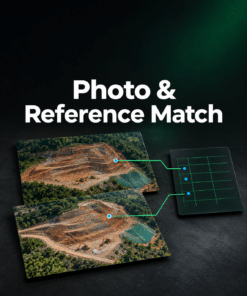





Your client asked for 3 cm per pixel. Your export is 5 cm.
The orthomosaic looks ready to send. But its resolution misses the agreed limit, and the processing report is missing from the delivery. Find both issues while you can still fix them.
Check the exact files you’re about to send
Select your orthomosaic, an optional DSM and the files you plan to deliver. Enter the coordinate system, pixel size limits and attachments you agreed with your client. Delivery Pack shows what passed, what needs fixing and what could not be verified.
- Coordinate system — compare the EPSG code recorded in the GeoTIFF with the agreed code.
- Pixel size — see whether the exported orthomosaic or DSM meets the resolution limit.
- Required attachments — spot a missing processing report, control-point file or other document on your delivery list.
Try the free delivery check
See a sample PDF
Send a delivery report with your own logo
Once the files are ready, download a PDF you can send with the job. It records the project name, revision, selected files, agreed requirements and result of each check. Save a requirements profile in your browser to speed up your next delivery.
$19 USD excl. tax · One-time purchase. Check your own files for free before buying. After payment, use Open Delivery Pack in your order confirmation or email to unlock PDF reports. Keep the email to reopen the tool for future projects, including when you check out as a guest.
Your files and logo stay in your browser. The delivery report records file presence and selected GeoTIFF metadata. Use it alongside your Metashape Processing Report and survey accuracy checks.