

 Italiano
 Français
 Deutsch
 Español
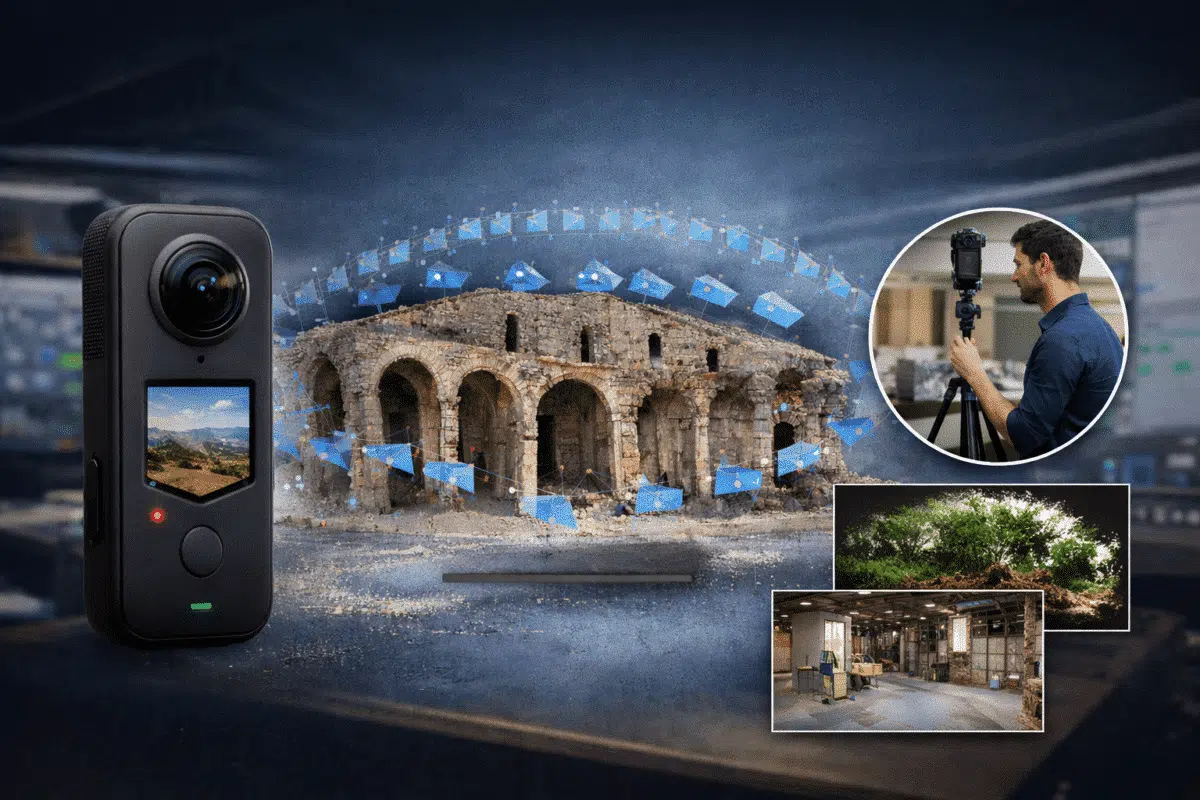
Photogrammetry workflows traditionally rely on DSLR cameras, mirrorless cameras, or drone imagery captured with nadir and oblique angles. However, a new approach is gaining attention among professionals working in digital documentation, indoor mapping, and digital twin creation: the use of 360° cameras for photogrammetry.
Modern spherical cameras such as the Insta360 series, GoPro Max, or Ricoh Theta can capture a full panoramic environment in a single shot. Instead of taking dozens of overlapping photographs from multiple angles, a single image contains the entire surrounding scene.
While these cameras were originally designed for immersive media and virtual tours, they can also be used to generate 3D models using photogrammetry software. Agisoft Metashape supports spherical camera projections and can reconstruct geometry from panoramic images when the correct workflow is applied.
This technique opens new possibilities for rapid environment capture, indoor mapping, cultural heritage documentation, forestry surveys, and digital twin creation.
Understanding 360° Cameras in Photogrammetry
A traditional camera captures a perspective image using a standard lens projection. In contrast, a 360° camera records the entire environment around the camera position.
Most consumer spherical cameras achieve this by combining two ultra-wide fisheye lenses. The camera software automatically stitches the two images into a single panoramic image known as an equirectangular projection.
This type of image typically has a 2:1 aspect ratio. For example:
- 6000 × 3000 pixels
- 8000 × 4000 pixels
- 12000 × 6000 pixels
Unlike perspective images, each pixel represents a direction in 3D space rather than a simple projection plane. Photogrammetry software must interpret this geometry correctly in order to extract features and reconstruct spatial relationships between images.
Agisoft Metashape includes support for spherical camera models, allowing the software to understand that the images represent full panoramic projections.
Advantages of Using 360° Cameras for 3D Reconstruction
The use of spherical cameras in photogrammetry is not intended to replace traditional mapping workflows. However, it provides several advantages in specific scenarios.
The most important benefit is capture efficiency. Because each image records the entire environment, significantly fewer images are required to achieve full coverage.
Key advantages include:
- Faster image acquisition
- Reduced number of capture positions
- Full environmental coverage from each position
- Ideal for indoor spaces or confined areas
- Effective for rapid documentation
For example, documenting a building interior with a traditional camera may require hundreds of photographs. With a 360° camera, the same environment can often be captured with only a few dozen panoramic images.
This approach dramatically reduces field time and simplifies the capture workflow.
Best Applications for 360° Photogrammetry
Although spherical cameras have lower geometric accuracy compared to professional photogrammetry cameras, they are extremely useful for many real-world applications.
Some of the most promising use cases include:
- Indoor building documentation
- Digital twins for facility management
- Cultural heritage preservation
- Virtual museums and historical archives
- Construction site documentation
- Forestry and environmental monitoring
- Underground infrastructure mapping
In particular, 360° photogrammetry can be extremely effective for environments where capturing large numbers of traditional photographs would be difficult or time-consuming.
Preparing 360° Images for Processing
Before importing images into Metashape, it is important to ensure that the panoramic photos are prepared correctly.
Most 360° cameras export stitched images automatically. However, the quality of the stitching process can affect the final reconstruction.
Best practices include:
- Export images in the highest available resolution
- Preserve EXIF metadata
- Avoid aggressive image compression
- Ensure images are properly stitched
- Maintain consistent exposure settings
High resolution is particularly important because the effective pixel density of spherical images is lower than traditional perspective images.
For professional workflows, it is recommended to capture images with at least 8K resolution whenever possible.
Importing Panoramas into Agisoft Metashape
Once the images are prepared, the first step is importing them into a new Metashape project.
This can be done through the standard workflow:
- Create a new Metashape project
- Select Add Photos
- Import all panoramic images
After importing the images, the camera model must be configured properly.
Open the camera calibration settings and change the camera type to Spherical. This step is essential because it tells Metashape that the images represent a full panoramic projection rather than a perspective camera.
Without this adjustment, the software may fail to align the images correctly.
Photo Alignment with Spherical Images
The next step in the photogrammetry workflow is photo alignment.
Metashape detects common feature points across images and estimates the camera positions in 3D space.
When working with 360° images, alignment can often be very robust because each image contains a large amount of visual information.
Recommended alignment settings include:
- Accuracy: High
- Generic preselection: Enabled
- Reference preselection: Disabled (unless GPS data is available)
- Key point limit: 40,000 or higher
- Tie point limit: 10,000
After alignment, the sparse point cloud should represent the approximate geometry of the captured environment.
Building the Dense Point Cloud
Once the camera alignment is complete, the next step is generating a dense point cloud.
This stage reconstructs the detailed geometry of the scene by matching pixels across images and triangulating their positions in 3D space.
The recommended settings are:
- Quality: High or Medium
- Depth filtering: Mild or Moderate
The resulting dense cloud represents the physical surfaces present in the environment.
However, due to the lower effective resolution of spherical images, the point density may be lower than what would be obtained with DSLR imagery.
Generating Mesh and Texture
After generating the dense point cloud, the next step is to create a 3D mesh.
The mesh converts the point cloud into a continuous surface model.
Recommended mesh settings include:
- Source data: Dense cloud
- Surface type: Arbitrary
- Face count: High
Once the mesh is generated, the final step is texture creation.
Metashape projects the original images onto the mesh to create a realistic textured model.
Despite the lower geometric precision of spherical cameras, the resulting textures can still be very immersive because each panorama contains the full surrounding environment.
Accuracy and Limitations
While 360° photogrammetry is a powerful technique, it is important to understand its limitations.
The most significant limitations include:
- Lower geometric precision compared to DSLR cameras
- Lens stitching artifacts
- Lower effective pixel density
- Potential noise in low-light environments
For high-precision surveying or engineering measurements, traditional photogrammetry workflows with calibrated cameras remain the preferred approach.
However, for rapid documentation, visualization, and digital twin creation, spherical cameras can provide excellent results with minimal field effort.
Future of 360° Photogrammetry
The quality of consumer 360° cameras continues to improve rapidly. Modern sensors offer higher resolution, better dynamic range, and improved stitching algorithms.
As these technologies evolve, spherical photogrammetry workflows are likely to become increasingly important in fields such as:
- Smart city digital twins
- Facility management
- Infrastructure inspection
- Immersive virtual environments
- Rapid environmental documentation
Combined with powerful software like Agisoft Metashape, 360° cameras provide a fast and efficient method for capturing complex environments and transforming them into interactive 3D models.
For professionals looking to experiment with new photogrammetry workflows, spherical imaging represents an exciting and innovative direction.
