

 Italiano
 Français
 Deutsch
 Español
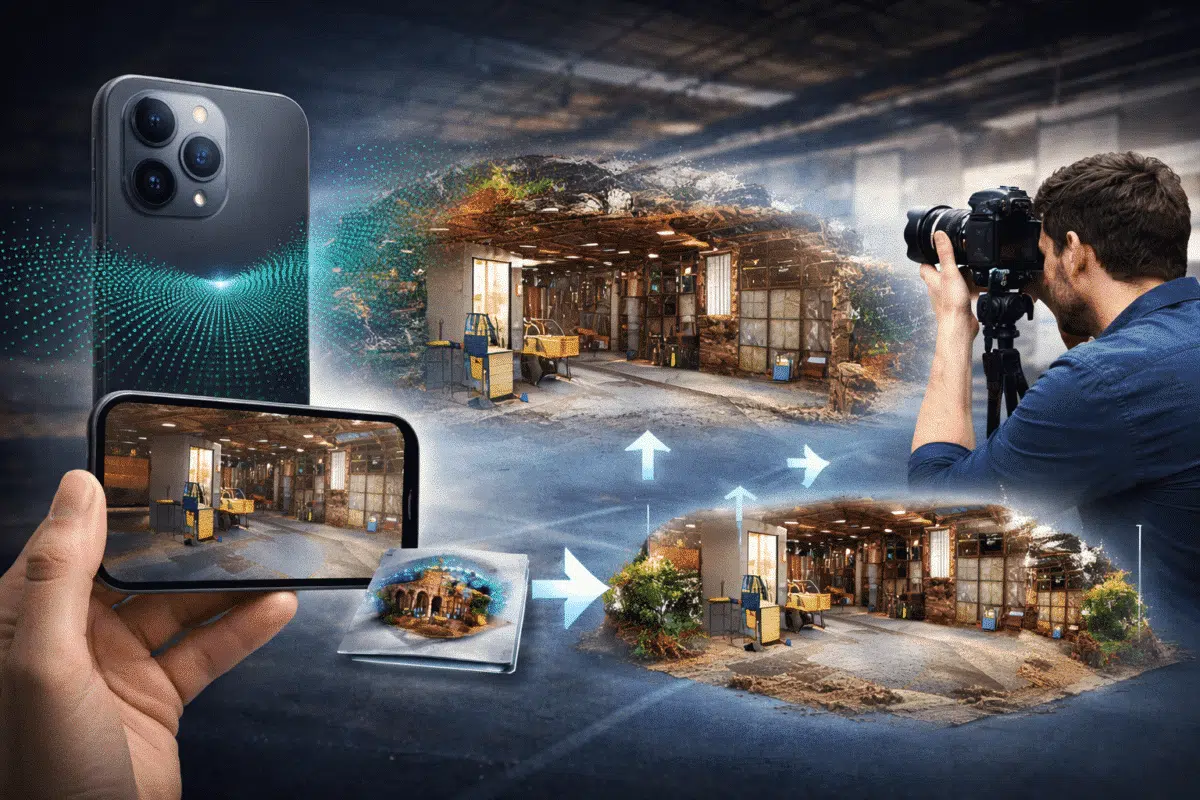
In recent years, modern smartphones have evolved from simple photography devices into powerful 3D scanning tools. Several high-end mobile devices, including Apple’s iPhone Pro models and some advanced tablets, now include built-in LiDAR sensors capable of capturing depth information in real time.
While smartphone LiDAR scans alone can generate quick 3D models, their geometric accuracy and texture quality are often limited compared to traditional photogrammetry. However, by combining LiDAR data with high-resolution images processed in Agisoft Metashape, professionals can create detailed and accurate 3D models suitable for visualization, documentation, and even certain measurement workflows.
This hybrid workflow—combining LiDAR scanning and photogrammetry—offers a powerful approach for capturing complex environments such as interiors, heritage sites, construction areas, and industrial facilities.
Understanding Smartphone LiDAR Technology
LiDAR, which stands for Light Detection and Ranging, is a remote sensing technology that measures distances by emitting laser pulses and calculating the time it takes for the reflected light to return to the sensor.
In smartphones, LiDAR sensors are designed primarily to enhance augmented reality applications and depth perception for photography. They emit infrared light and measure the distance to surrounding surfaces, generating a depth map of the environment.
Although the LiDAR sensors in smartphones are smaller and less powerful than professional LiDAR scanners, they are still capable of capturing surprisingly useful spatial data.
Typical smartphone LiDAR capabilities include:
- Depth capture up to approximately 5 meters
- Real-time environment scanning
- Generation of basic point clouds or meshes
- Integration with AR and scanning applications
Many mobile applications such as Polycam, SiteScape, and Scaniverse allow users to export LiDAR scans as point clouds or mesh models that can be processed further in professional software.
Why Combine LiDAR and Photogrammetry
Both photogrammetry and LiDAR scanning have unique strengths and limitations.
Photogrammetry excels at capturing high-resolution textures and fine surface details using photographs. However, it may struggle in areas with low visual contrast, reflective surfaces, or repetitive patterns.
LiDAR, on the other hand, directly measures geometric distances and can capture spatial structure even in areas where photogrammetry might fail.
By combining these two techniques, it is possible to benefit from the advantages of both technologies.
The main benefits of a hybrid workflow include:
- Improved geometric stability
- Better reconstruction of complex structures
- Higher quality textures from photographs
- Faster alignment of image datasets
- Better coverage of low-texture surfaces
This makes the combined approach particularly useful for interior environments, architectural documentation, and rapid digital twin creation.
Typical Workflow Overview
The hybrid LiDAR and photogrammetry workflow usually involves three main stages.
- Capture LiDAR data with a smartphone scanning application
- Capture high-resolution photographs of the environment
- Combine and process the datasets in Agisoft Metashape
The LiDAR scan provides an initial geometric reference, while the photographs are used to reconstruct detailed geometry and textures.
Capturing LiDAR Data with a Smartphone
The first step in the workflow is capturing LiDAR data using a compatible smartphone.
Several applications are capable of exporting LiDAR scans as 3D datasets. Popular choices include:
- Polycam
- Scaniverse
- SiteScape
- 3D Scanner App
When capturing LiDAR data, it is important to move slowly around the environment and ensure that all relevant surfaces are scanned.
Good scanning practices include:
- Maintaining steady camera movement
- Ensuring sufficient overlap between scan areas
- Avoiding sudden movements
- Scanning from multiple angles
After scanning, export the dataset as either:
- Point cloud (LAS or PLY)
- Mesh model (OBJ or GLB)
These formats can later be imported into Metashape.
Capturing Photogrammetry Images
After collecting LiDAR data, the next step is capturing photographs for photogrammetry processing.
For best results, use a camera capable of producing high-resolution images. Even smartphone cameras can work well if lighting conditions are good.
Recommended image capture practices include:
- High image overlap (70–80%)
- Consistent exposure settings
- Avoiding motion blur
- Capturing images from multiple viewpoints
These images will later be processed in Metashape to generate the final 3D reconstruction.
Importing Data into Agisoft Metashape
Once both datasets are captured, the next step is importing them into Agisoft Metashape.
The typical workflow involves first importing the photogrammetry images.
- Create a new Metashape project
- Add the captured photos
- Run photo alignment
Metashape will automatically detect common features across the images and estimate the camera positions.
Once alignment is complete, the LiDAR dataset can be imported as an additional reference.
Use the Import Point Cloud function to load the LiDAR point cloud into the project.
Aligning LiDAR Data with Photogrammetry
To combine the datasets effectively, the LiDAR point cloud must be aligned with the photogrammetry model.
This process can be performed using control points or manual alignment tools.
One common approach is to identify several recognizable features that exist in both datasets. These can include corners, structural elements, or distinctive objects.
Once these points are matched, the LiDAR scan can be aligned with the photogrammetry reconstruction.
After alignment, the LiDAR data can serve as a geometric reference for further processing.
Generating the Dense Point Cloud
After image alignment and LiDAR integration, the next step is building the dense point cloud.
This stage reconstructs detailed geometry by triangulating matching pixels across the image set.
Recommended settings include:
- Quality: High
- Depth filtering: Mild
The resulting dense cloud will represent the final reconstructed geometry.
In many cases, the LiDAR data can help improve reconstruction stability and reduce noise in low-texture areas.
Building the Final 3D Model
Once the dense cloud is generated, the next step is creating the mesh model.
The mesh converts the point cloud into a continuous 3D surface.
Typical mesh generation settings include:
- Surface type: Arbitrary
- Source data: Dense cloud
- Face count: High
Finally, textures are generated by projecting the original photographs onto the mesh surface.
This step produces a highly realistic 3D model with detailed visual appearance.
Applications of Hybrid LiDAR and Photogrammetry Workflows
The integration of smartphone LiDAR and photogrammetry opens new possibilities for rapid 3D capture.
This workflow is particularly useful for:
- Indoor digital twins
- Architectural documentation
- Construction monitoring
- Cultural heritage preservation
- Facility management
- Industrial inspections
Because smartphone LiDAR scanning is fast and portable, it enables rapid data collection even in complex environments.
Limitations to Consider
Despite its advantages, smartphone LiDAR technology still has several limitations.
The main limitations include:
- Lower scanning range compared to professional LiDAR scanners
- Limited point cloud density
- Potential noise in the depth data
- Reduced accuracy in large environments
For highly precise surveying tasks, professional LiDAR systems or dedicated photogrammetry cameras remain the preferred tools.
However, for rapid environment capture and digital documentation, the hybrid LiDAR and photogrammetry approach can produce excellent results.
Conclusion
The combination of smartphone LiDAR scanning and photogrammetry represents an exciting new direction in 3D reality capture.
By integrating LiDAR geometry with high-resolution photographic textures in Agisoft Metashape, professionals can create detailed 3D models efficiently and with minimal equipment.
As smartphone sensors continue to improve, this hybrid workflow is likely to become an increasingly valuable tool for architects, surveyors, researchers, and digital heritage professionals.
For users looking to experiment with innovative photogrammetry workflows, combining smartphone LiDAR with Agisoft Metashape provides a powerful and accessible solution.
